Fortnox
The same Fortnox. A new way to work.
Bring your books through SIE4 and explore questions and reports. Or try the invoice workflow in the test environment. Direct Fortnox connection is not yet available.
Start free

Records · Actual screenshot from the test environment, Nordvik Studio AB
Your books, or a place to explore
Choose the source that fits the task. The environment you work in is always explicit.
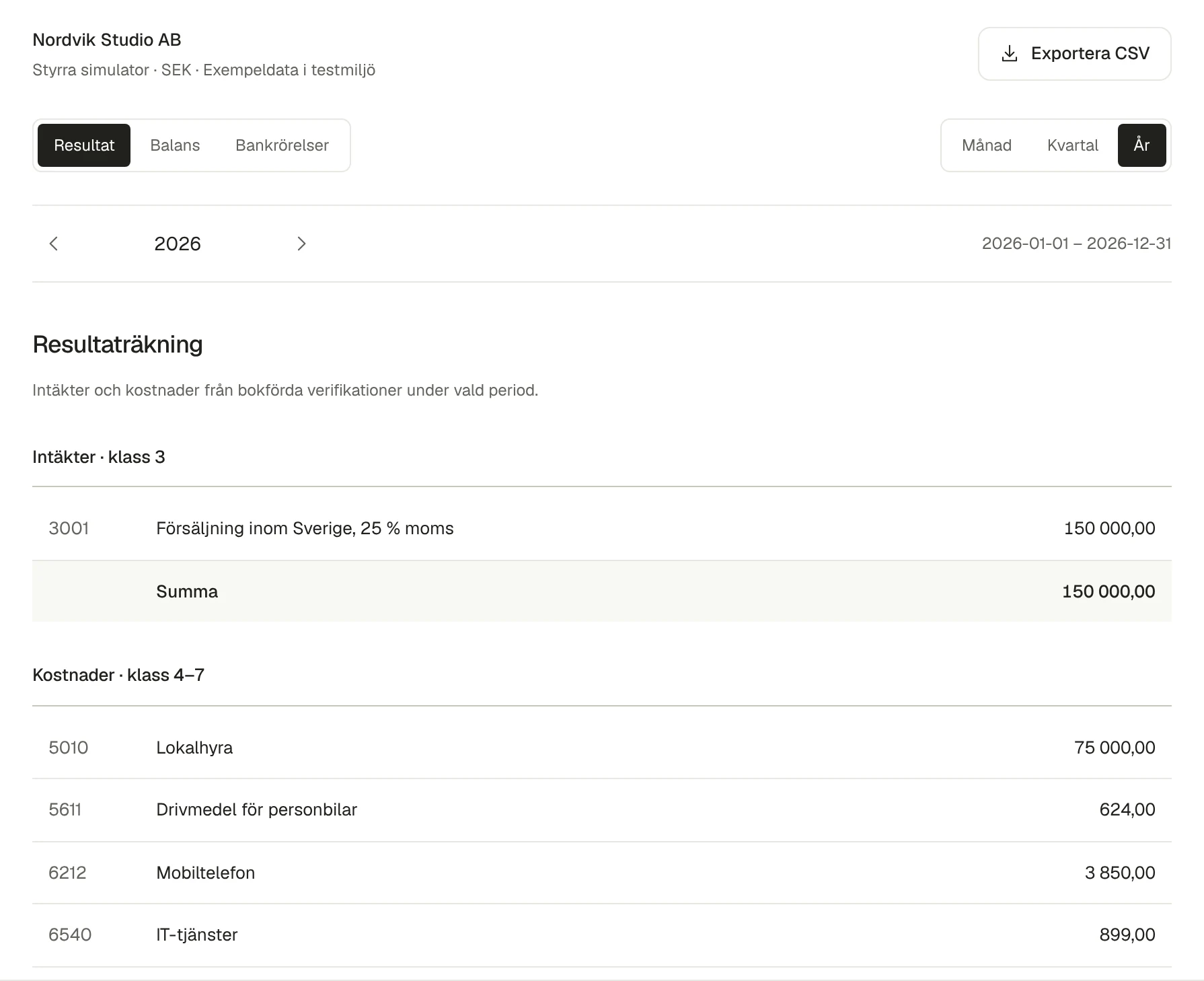
Start with your figures
Import your chart of accounts and ledger for questions and reports. Approved proposals are exported as SIE4 and imported separately into Fortnox.
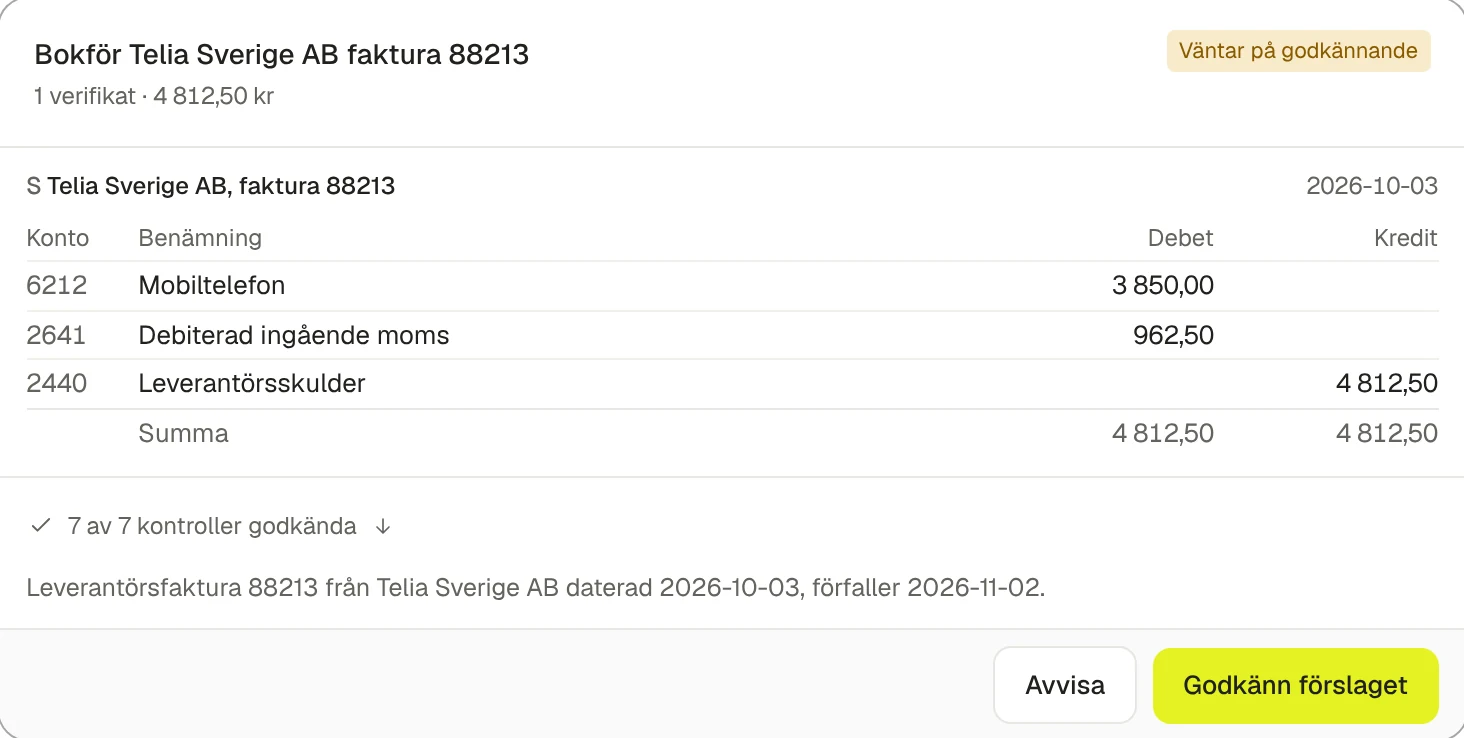
Explore the whole workflow
Follow a supplier invoice through coding, validation and approval to a simulated posting, with labelled sample data.
How to get started
- 01
Choose an import or the test environment
Import a SIE4 file from your accounting system, or open the clearly labelled test environment with sample data.
- 02
Delegate the work
Ask about balances and reports from your import. In the test environment, you can also try supplier invoice proposals.
- 03
Review the result
Inspect records, accounts and amounts. Try approval and posting in the test environment; import SIE4 proposal exports into your accounting system separately.
Fortnox
What you can use today
- Entries
- Read and search imported entries or sample data
- Supplier invoices
- Try invoices and accounting proposals in the test environment
- Accounts and balances
- Calculate reports from imported accounts and ledger entries
- Periods
- Choose a report period; try period-lock validation in the test environment
- SIE4
- Import accounting data and export approved proposals
Start with your first question.
Explore the clearly labelled test environment or start with a SIE4 import.