Security
Trust starts with visibility.
Understand what Styrra reads, what it proposes and what has been posted. Control is part of the workflow.


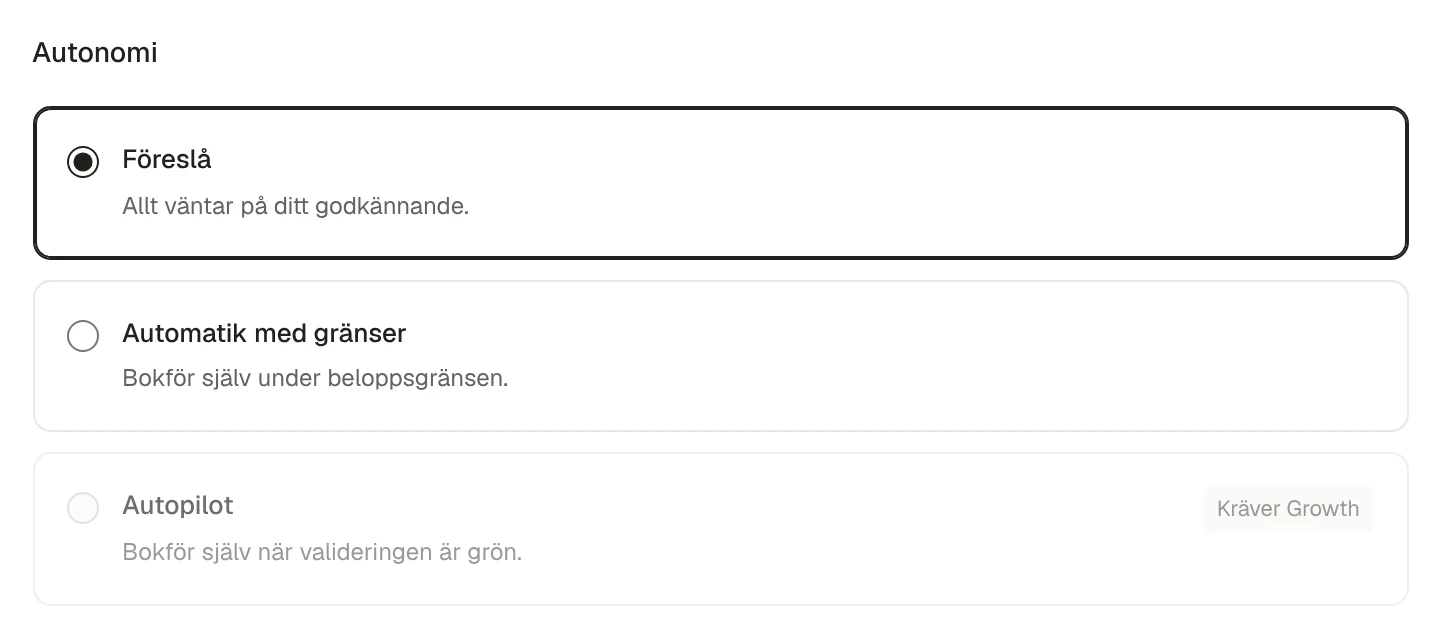
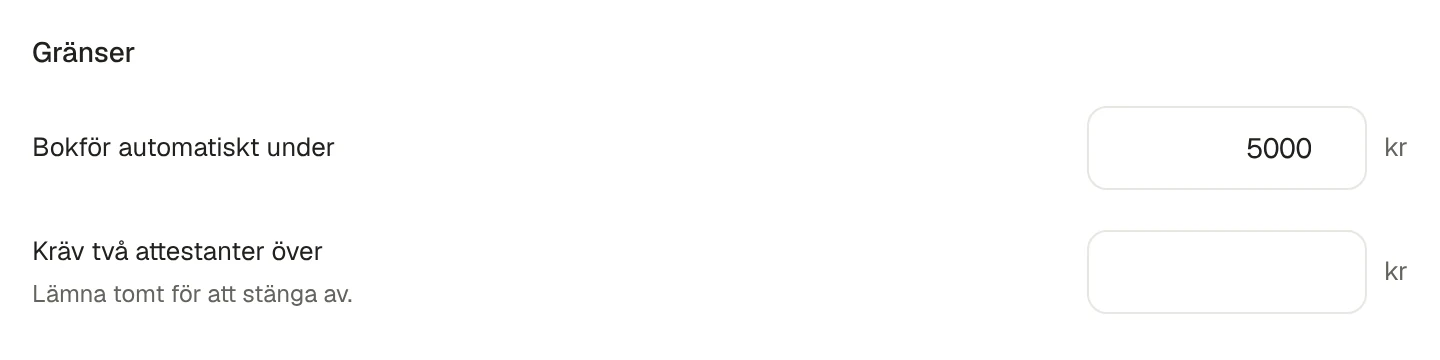
Policy · Actual screenshot from the test environment, Nordvik Studio AB
Three permission tiers
Styrra works within fixed permissions and company policy. Text in a document can never change those rules.
- 01 · Source records
Read
Read imported accounts and entries, or invoices and other sample data in the test environment.
- 02 · Reviewable
Propose
Prepare a change proposal with amounts, accounts and validation results.
- 03 · Within your policy
Post
Try posting approved and validated proposals in the test environment, within company policy and permissions.
Policy per company
You choose how far Styrra goes
Every company has an autonomy level and amount limits. Anything above the limit waits for approval, whatever a document says.
- Propose: everything waits for you
- Automatic within limits: from Start
- Autopilot: requires Growth or higher
Built into the work
From the first record to the next correction
Control also means being clear about what cannot change.
- Checks before posting
- Balance, accounts, period, VAT and duplicates are validated before a proposal can be posted. Exceptions are visible in the proposal.
- Corrections preserve the history
- Booked entries are not overwritten. Corrections use reversals that refer to the original.
- Documents are evidence
- Document text is treated as data and cannot change tool permissions or your policy.
- Clear about the data you use
- Choose a SIE4 import or sample data in the test environment. Trying Styrra does not give it access to your Fortnox.
Traceability
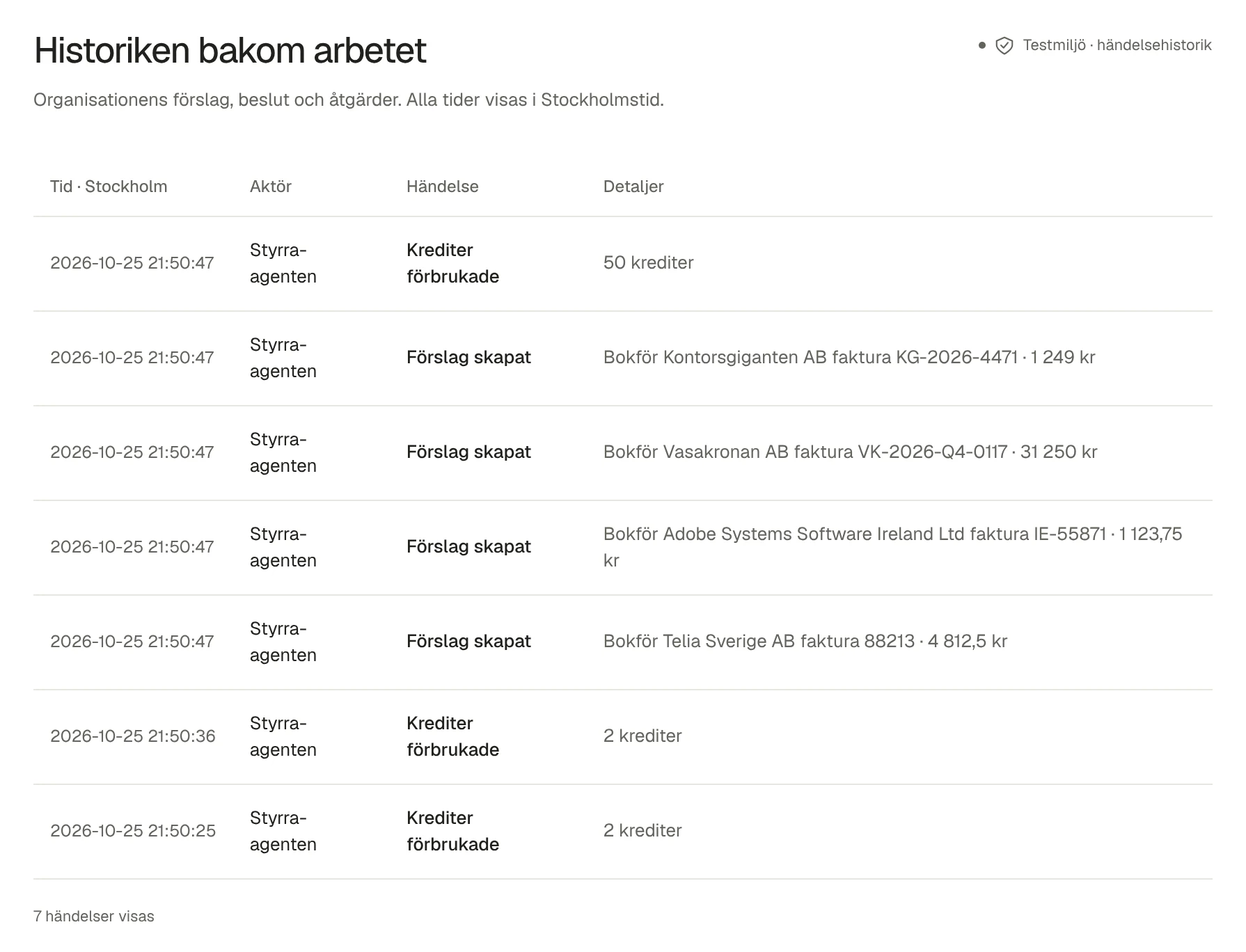
The audit log in practice
Follow proposals, checks, approvals and actions in the company audit log. The image is the actual test-environment view.

Want the security walkthrough for real?
Book a walkthrough of permissions, data flows and how Styrra fits your requirements.